Provides practice with understanding various types of questions: who, what, when, where, why, and how.
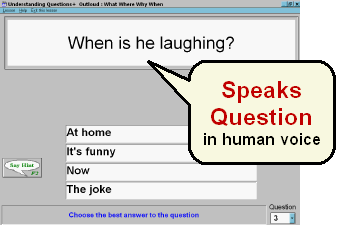
Patient chooses appropriate answer to spoken question.
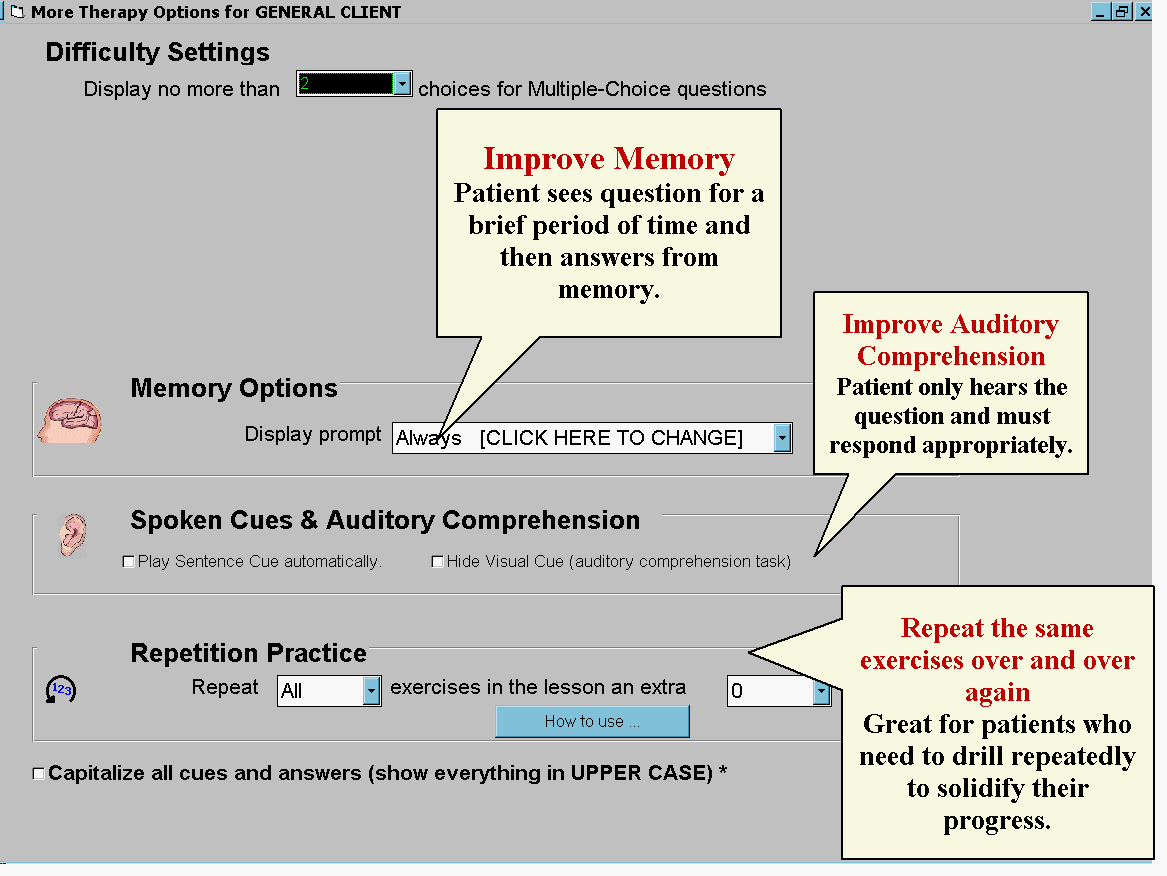
Hide the question text for Auditory Comprehension therapy (Deluxe & Pro
versions)
Displays and speaks a question out loud (in a human voice) and shows up to 4 answers. Provides nearly unlimited therapy practice, with over 5,000 exercises.
Can be used independently, thanks to many special features (more info about those below).
Every time a lesson is started, it's composed of up to 100 freshly created exercises. No two lessons are identical.
|
|
This program is based upon a program originally developed by Dr. Richard Katz, who has designed numerous programs for aphasia, and published many studies on the effectiveness of computer-assisted aphasia software.
Appropriate for:

Question and hint #1
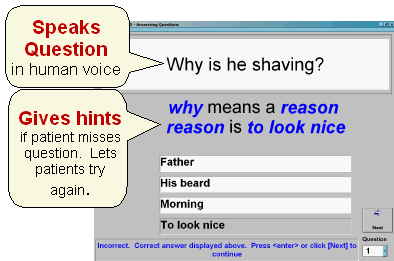
Question and hint #2
The clinical (medical) name for this is therapeutic intervention. After an incorrect answer, the program give a hint in blue. See picture to right: the user has incorrectly answered Father. The hint explains why Father is the wrong answer.
If the user misses the question again, s/he gets an additional hint, shown below.
Results of each session are saved, by client, to a file. You can print this or copy it into other documentation.
So, when Mr. Jones comes back in for his next visit, you just select Mr. Jones and the program remembers how he did last time, what lesson he was using, and what settings you used for him.
Repeat the first 20 questions 5 times, or repeat as many questions as you like as many times as you like. You can also control the length of the lesson without repetition, such as having a 25 exercise lesson. (Bungalow programs have so many exercises we've found that even one lesson can be too much for a patient to do in one sitting.
You can set the program to display the cue to display temporarily or until they press any key. Then the cue disappears, and the question appears.
Download a free trial or buy a trial CD with all the programs on this website (over 1 million exercises).
Buy programs or view prices on our shopping cart page.
Sound Card required for the OutLoud version